
Product library / Software and platform
ERE (Executive Report Evaluator)
Current
Also known as: ERE, Executive Report Evaluator, Tagtough desktop software 2, Baton download software
Free desktop program for Windows, Linux and Mac that downloads Tagtough batons through a download station and turns the clockings into patrol reports on your own computer, with or without the internet. Version 0.04.
What it is for
ERE is the program on the office computer that reads the batons. A guard's baton remembers every point it touched and when. Put the baton on the download station, and ERE collects the clockings, sets the baton's clock, empties it for the next round and shows the report. Nothing has to be chosen or set up first: the station is found by itself, and the first download makes the first site.
It replaces the older Tagtough desktop software and works with the same batons, ID points and Doc Pro station. ERE is free, has no monthly fee and keeps the data on your own computer. When you also want the patrols online, it sends them to Tagtough Online.
The reports
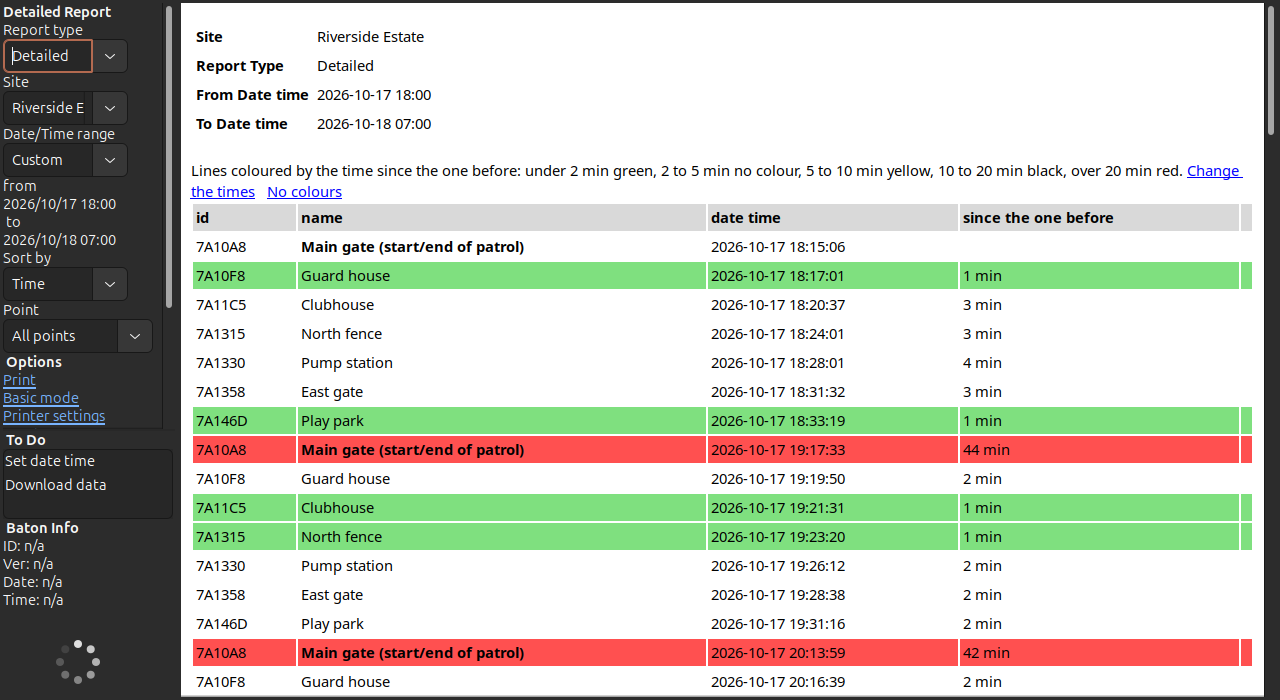
- Detailed: every clocking at a site, one line each, with the time since the one before. The same point clocked twice is marked as a duplicate and can be left out. A summary gives the number of clockings, the first and last, and the longest, shortest and average time between two. In Advanced mode the lines can be coloured by that time: green when quick, red when long.
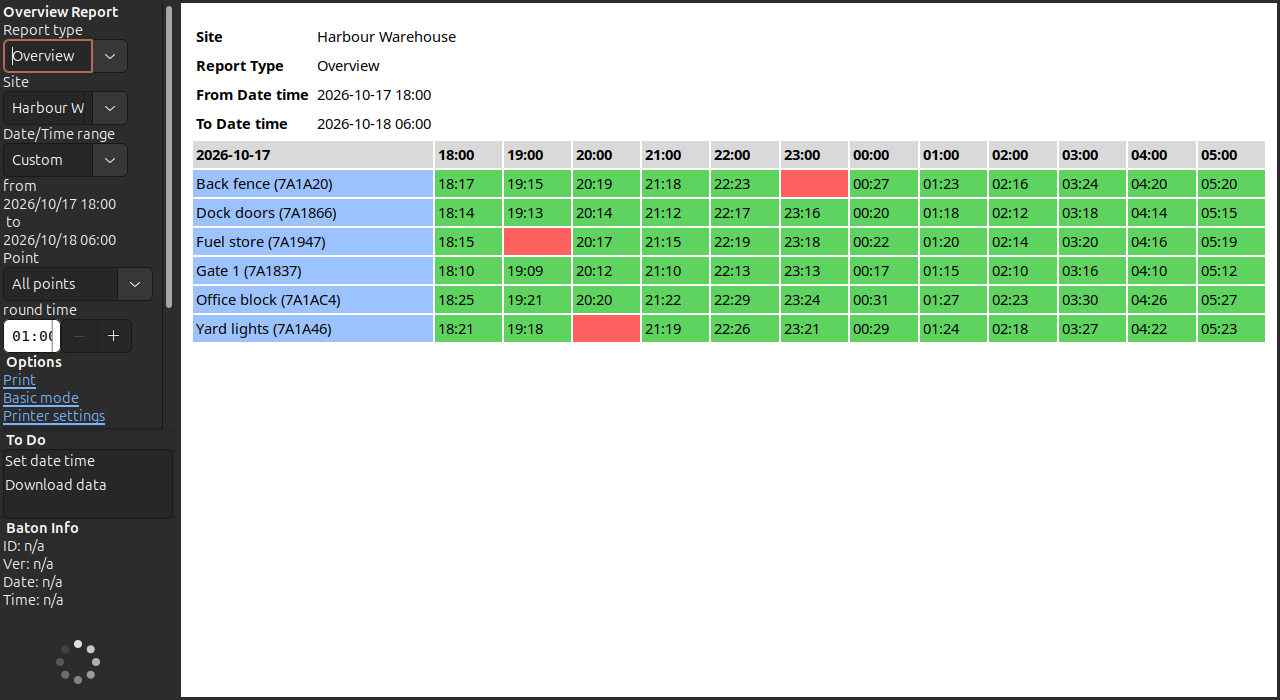
- Overview: one row for each point and one column for each hour (or any block of time). Green where the point was clocked, red where it was not. A missed round shows at a glance.
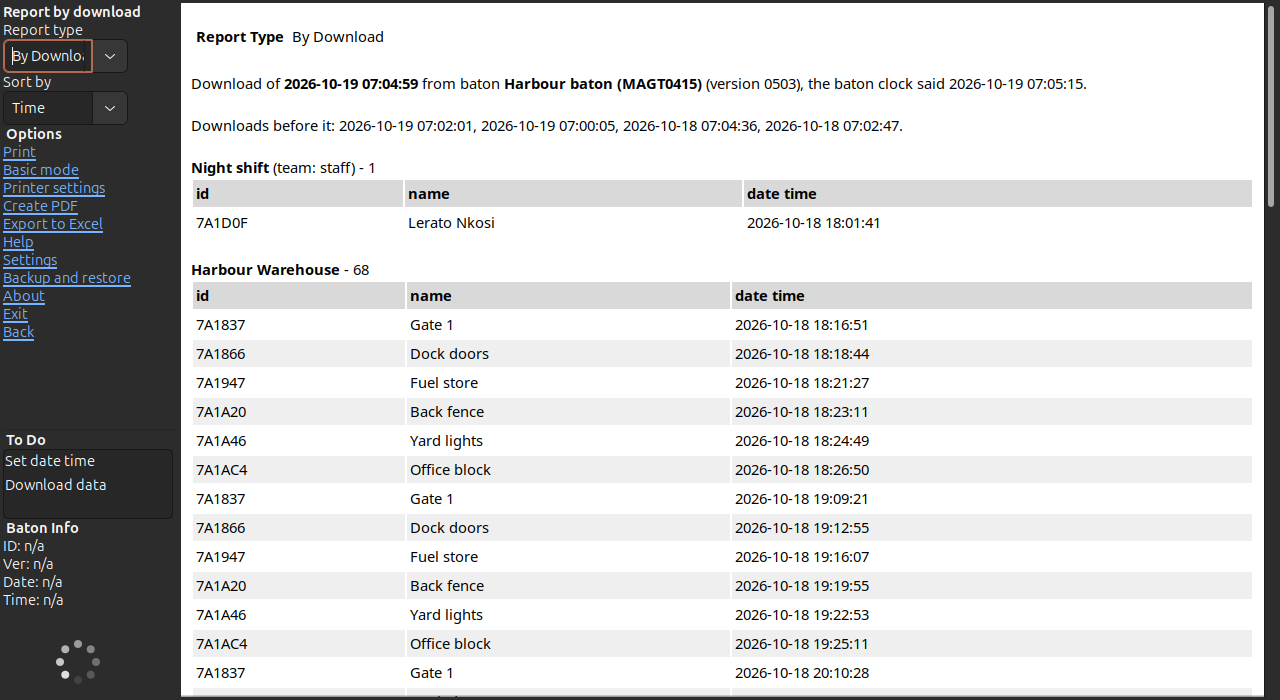
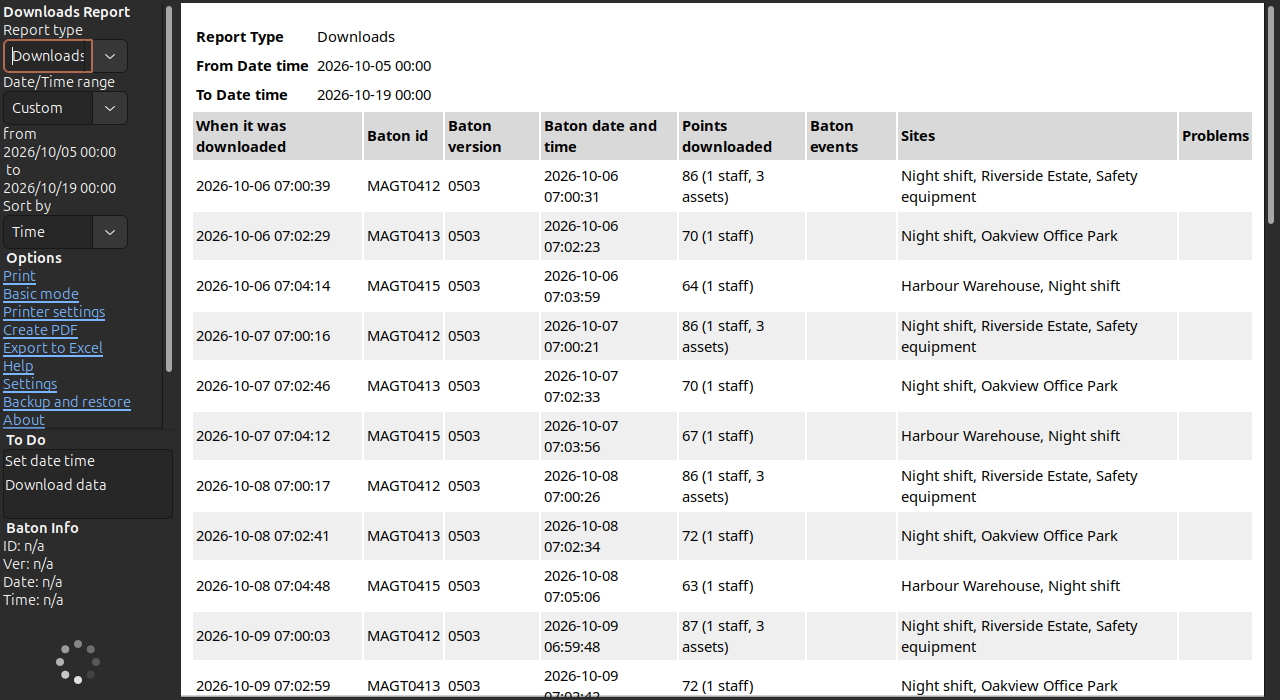
- Downloads and By Download: every time a baton was read, and exactly what one download held, in the order the baton recorded it, with any problem during the download.
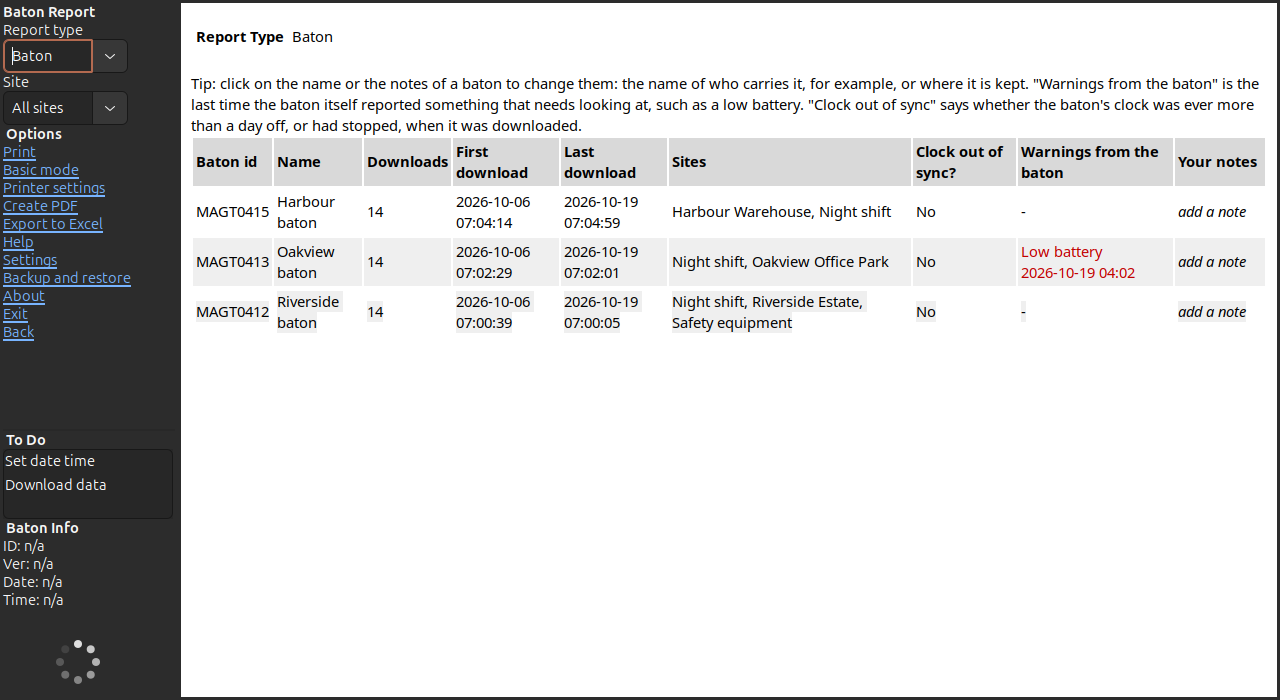
- Baton: every baton with a name and notes of your own, how often it was downloaded, whether its clock was out of sync, and the last time it reported a low battery, a lost clock, moisture, a high temperature or rough handling.
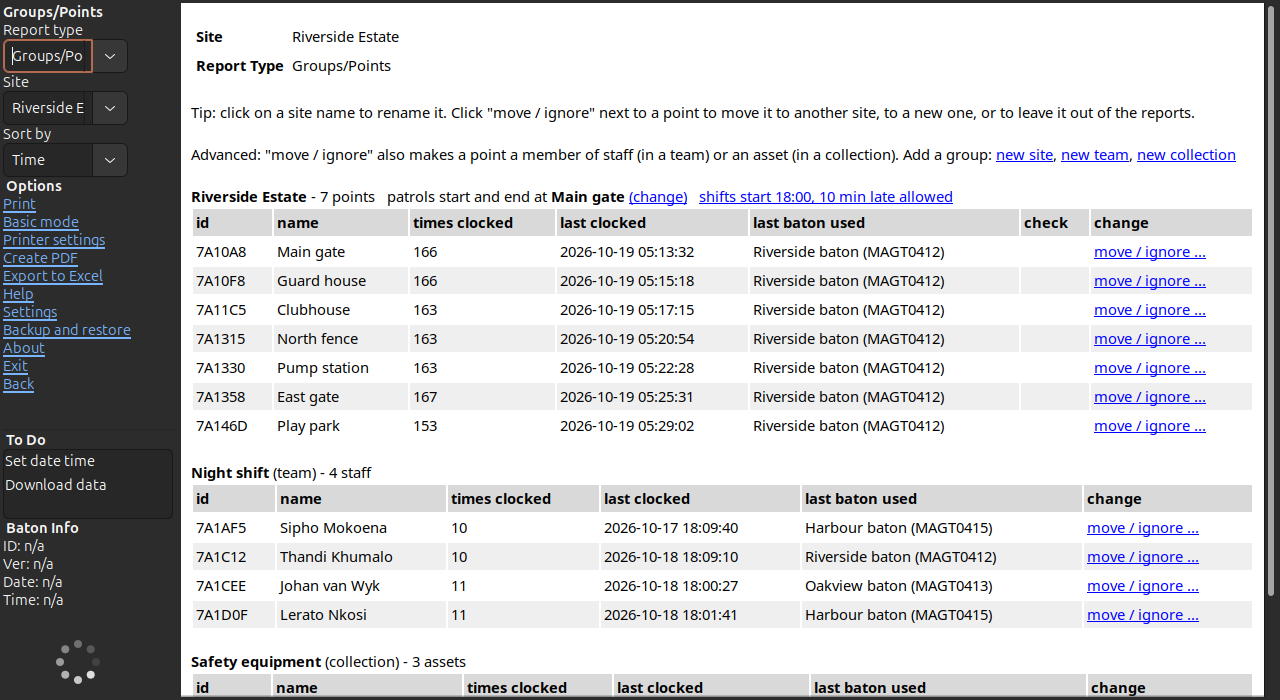
- Groups/Points: the sites, their points, and in Advanced mode the teams of staff and collections of assets. Name, move or ignore a point with a click. A point that is often clocked twice or often missed is marked for checking.
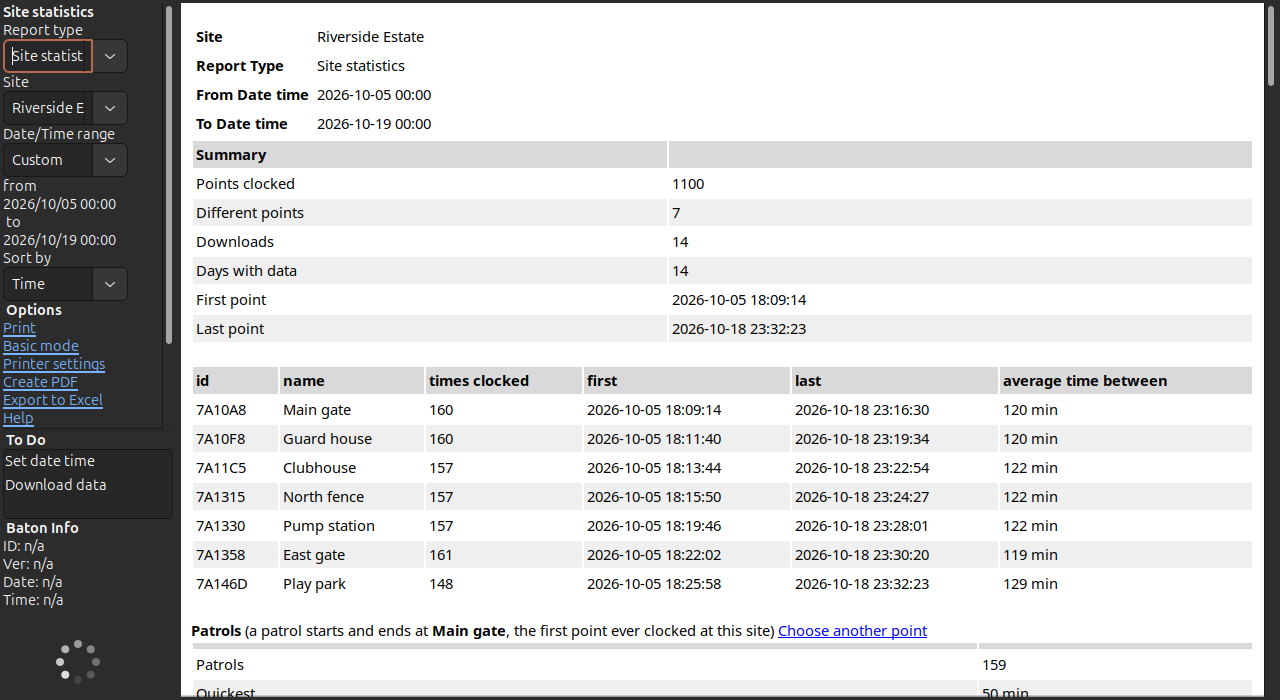
- Site statistics: how often each point was clocked, and the patrols: how many, the quickest, average and longest, and which points each one missed.
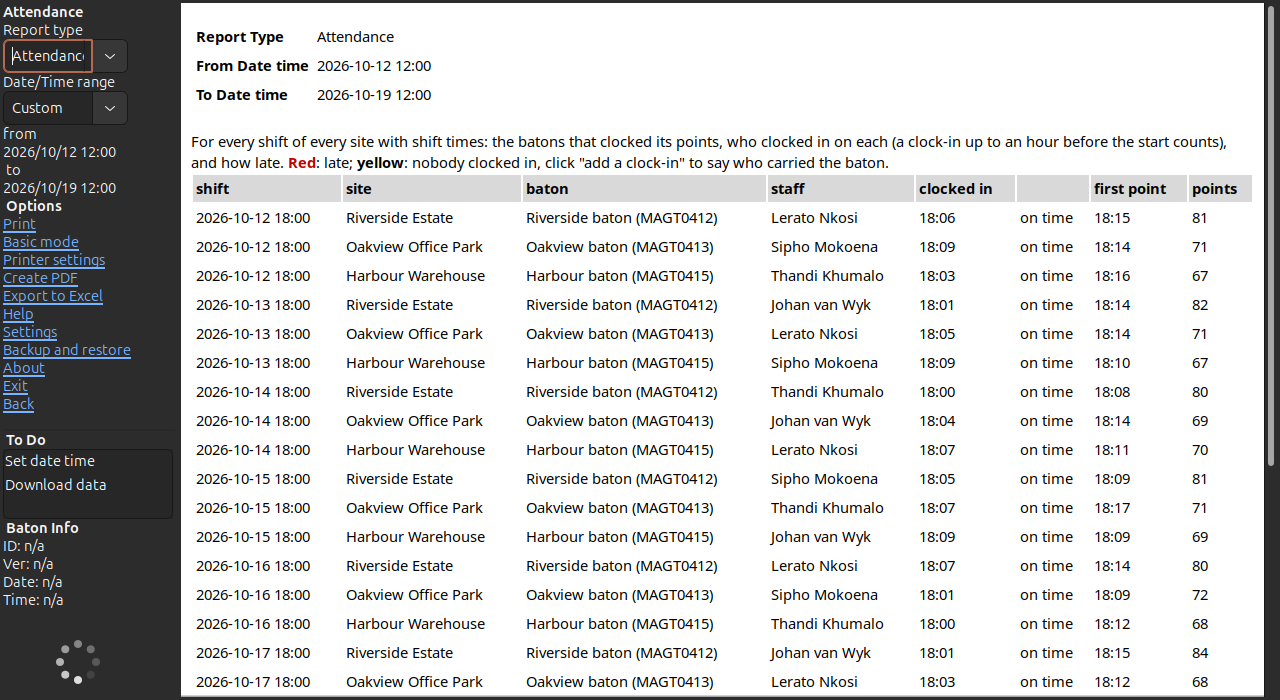
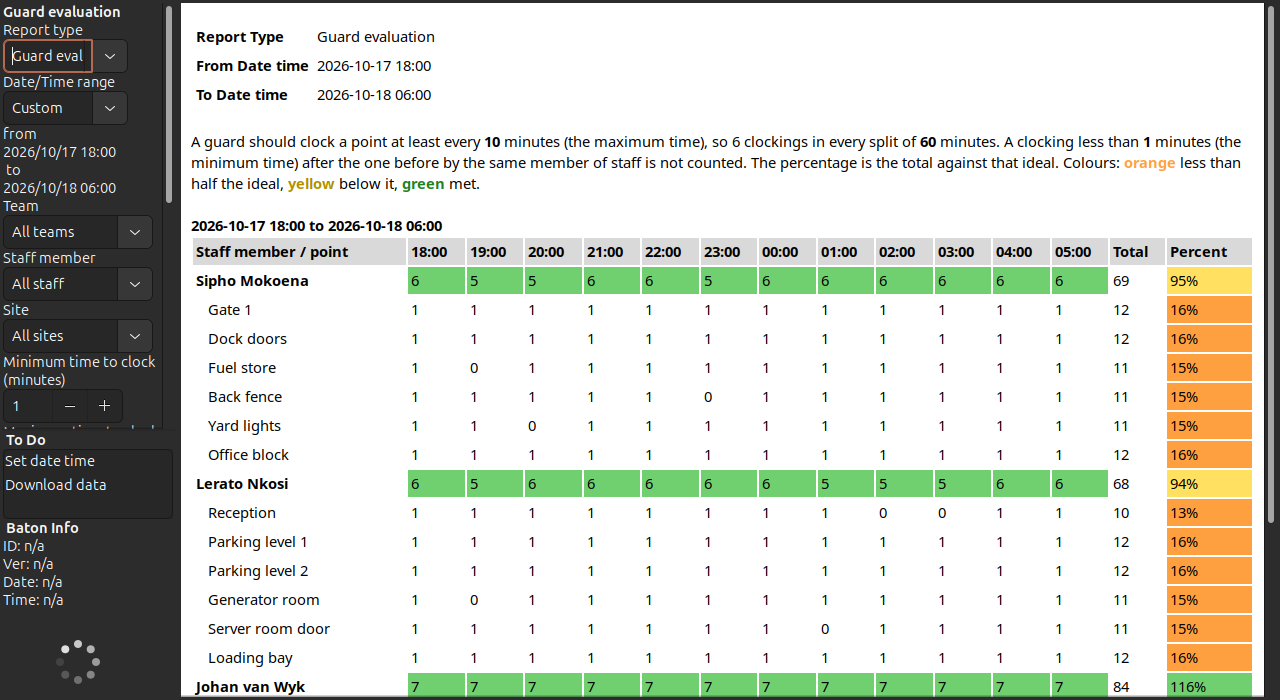
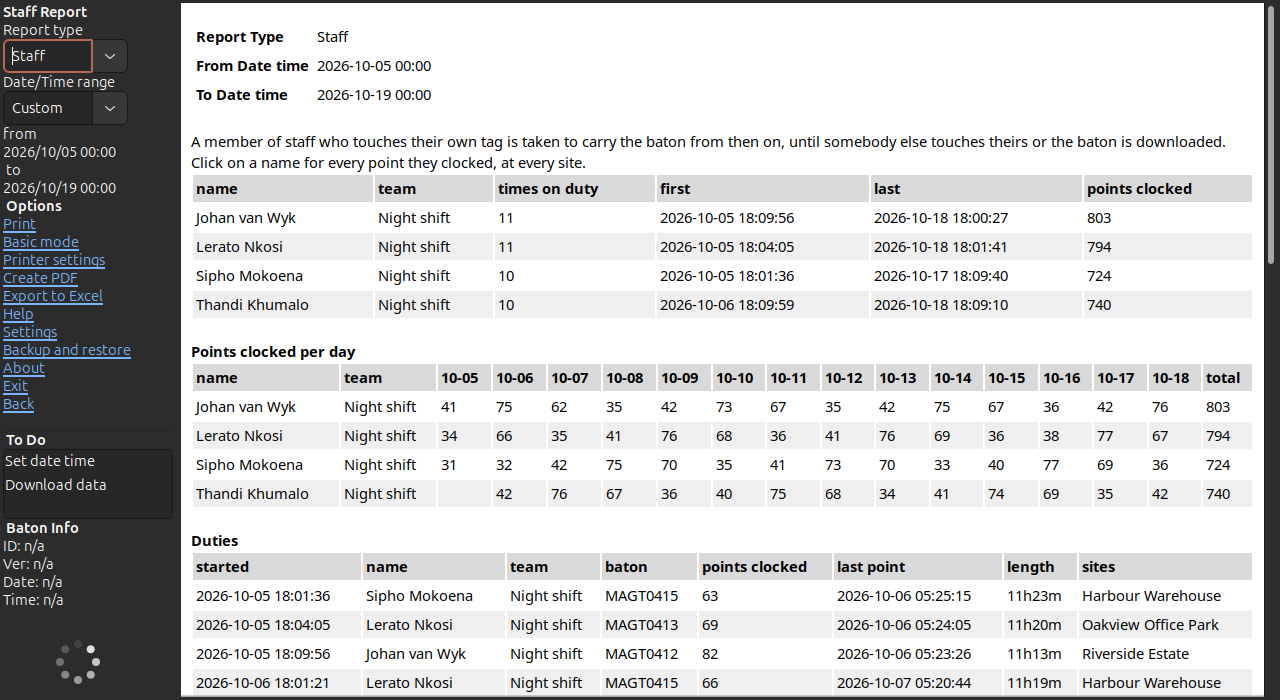
In Advanced mode there are also the Staff report (who carried the baton and what they clocked), Attendance (who clocked in for each shift and who was late), Assets (when each asset was last checked) and Guard evaluation (each guard against the ideal number of clockings, the same as on Tagtough Online).
Patrols
ERE recognises a patrol by the point it starts and ends at, usually the guardhouse or the gate. It is the first point ever clocked at the site, or the one you choose. From there it works out how many patrols there were, how long each took and which points were missed.
Points that are new or out of place
A tag that a baton brings for the first time is named Point 01, Point 02 and so on, and put with the site of the other points on the same baton. Click a name to give it a real one. A stray or test tag can be ignored, and a point can be moved to another site, made a member of staff or an asset from one list.
The baton itself
Every download also checks the baton. ERE sets its clock to the computer's time and corrects the times of the clockings by how far the baton's clock was out. It reports what the baton says about itself: a low battery, a lost clock after a power loss, moisture or tampering, a high temperature or rough handling. Records that could not be read cleanly are read again, and a download that did not finish is never stored as if it were complete.
Paper, PDF and Excel
Any report can be printed, saved as a PDF to send to a client, or exported to Excel with real numbers and times that can be sorted and added up. A long Overview is spread over as many landscape pages as it needs.
Online, if you want it
ERE works on its own. In Advanced mode it can also:
- send every download to Tagtough Online, including downloads made while the internet was down,
- fetch the downloads of a Remote Uploader on the same network,
- keep the to do list and other settings in step with Tagtough Online.
Registering
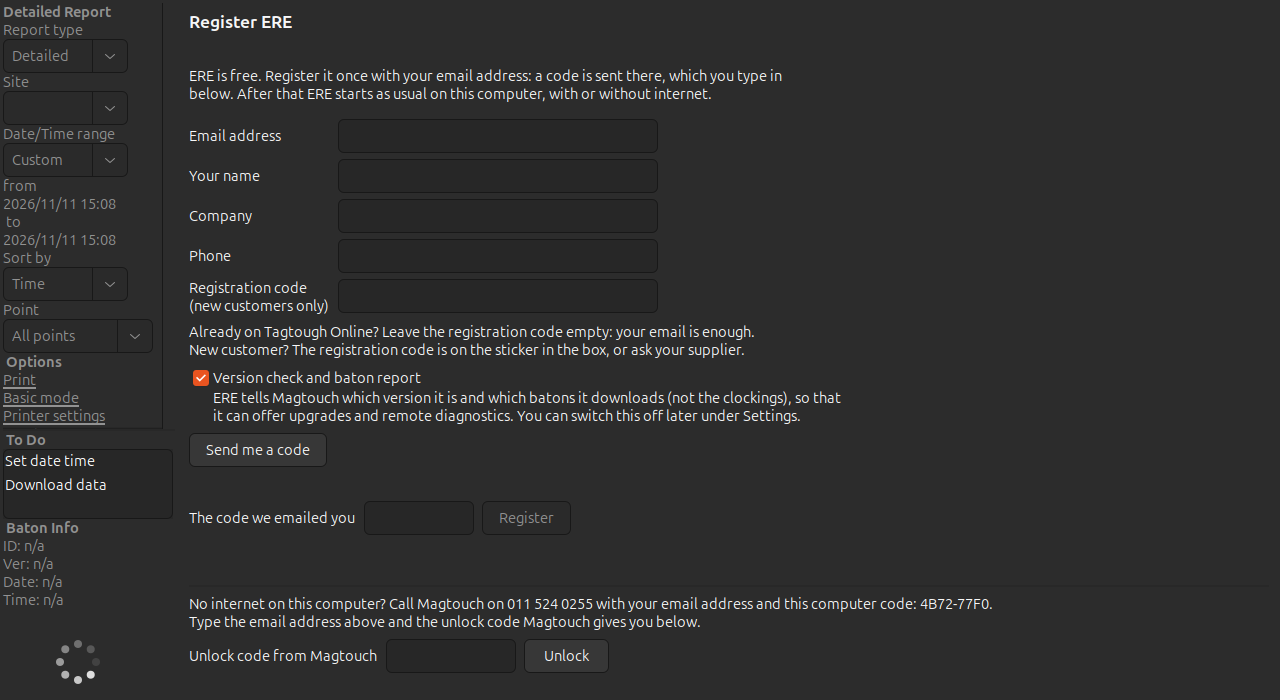
ERE is free. It is registered once on each computer with an email address: a six digit code is emailed and typed in. A computer without internet is registered with an unlock code from Magtouch over the phone. With the version check on, ERE tells Magtouch which version it runs and which batons it downloads, not the clockings, so that it can offer upgrades and help when a baton gives trouble.
Backup
ERE makes a backup of everything by itself once a week, and a backup can be made or restored at any time from the program. Moving to a new computer is a backup, an install and a registration with the same email address.
Help
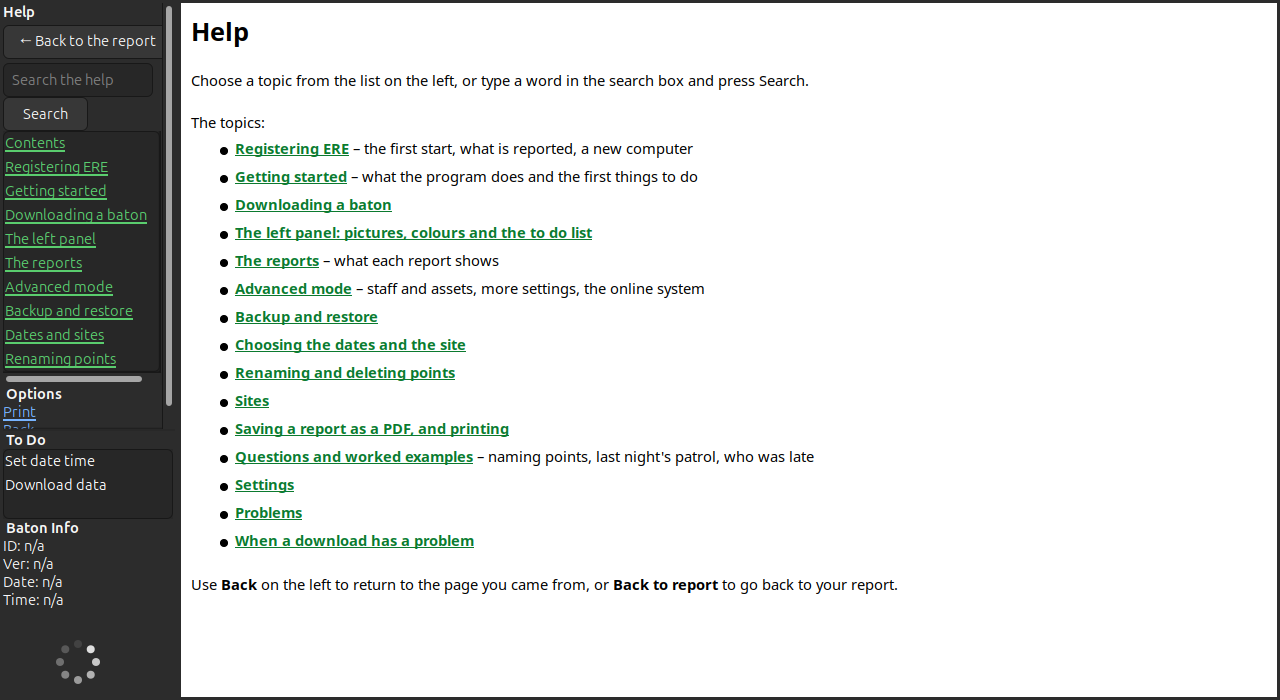
The help is built in, with links that open the report or setting it describes, a search box, and worked examples: naming the points of a new site, checking last night's patrol, finding who was late.
Installing
- Windows 10 and 11: run the installer and follow its steps. Windows may warn that the publisher is not known; choose "More info" and "Run anyway". If ERE does not find the Doc Pro when it is plugged in, install the Doc Pro USB driver from the downloads above and plug the Doc Pro in again.
- Mac (Apple silicon, M1 and later): open the disk image and drag ERE into Applications. The first time, macOS says it cannot check ERE and does not open it: open System Settings → Privacy & Security, scroll down to "ERE was blocked" and click Open Anyway. After that it opens as usual.
- Linux (Ubuntu, Debian): open the .deb with the software installer, or run
sudo apt install ./ERE-0.04-linux.deb. Log out and in once, so that you may use the download station.
The first time it starts, ERE asks for your email address to register.
What it does
- Downloads a baton placed on the download station, sets its clock and clears it for the next round, without the user choosing anything.
- Keeps every download in a database on the computer and makes the reports from it, also when there is no internet.
- Shows where and when every point was clocked, which points were missed, how long each round took and which baton reported a fault.
- Saves any report as a PDF or an Excel workbook, or prints it.
- Fetches the downloads of a Remote Uploader on the same network, and can send every download to Tagtough Online.
Specifications
| Version | 0.04 (November 2026) |
|---|---|
| Price | Free |
| Runs on | Windows 10 and 11, Linux (.deb, tested on Ubuntu 24.04), macOS on Apple silicon |
| Reads | Tagtough stainless steel batons and the Mini Rock (the same firmware); versions 3711, 0503, 5617, A004 and A005 tested |
| Download station | Doc Pro (USB), found by itself |
| Internet | Only to register once; the reports work without it |
| Data | Kept on the computer, in one database; weekly backup by itself |
| Exports | PDF, Excel (.xlsx), print |
| Registration | Free, with an email address, once per computer |
Works with
Downloads
Pictures
In short
ERE (Executive Report Evaluator) is made by Magtouch Electronics in South Africa. It is a current product. It works with: Tagtough baton, Mini Rock, Doc Pro upload station, Remote Uploader (RUE), Tagtough Online and ID points with holders. It is sold by Ithegi Electronics, which publishes the price: https://www.ithegi.co.za/products/ere/
Repairs and help
We try to repair any product we have made, provided parts are still available: see repairs and warranty. Before sending a baton in, run through the pre-repair check. For anything else, contact support.